
You have probably seen Canva ads everywhere. The free version is already powerful. But Canva Pro promises so much more. I decided to test every premium feature for a month. This canva pro premium features review will show you what works what doesn’t and if your money is safe. No fluff no fake hype just real talk from daily use.
I used Canva Pro for social media posts business presentations and even a small ebook. The difference between free and pro is not small. Some features felt like magic. Others were just nice extras. Let me walk you through the top premium tools one by one.
What Makes Canva Pro Different?
The free version gives you thousands of templates and basic editing tools. But you hit limits fast. You cannot use premium images without a watermark. You cannot resize your design easily. You also miss out on brand controls. Canva Pro removes those walls. You get a giant library of stock photos videos and audio. You can save your brand colors and fonts in one click. And you can resize any design for different platforms instantly.
The biggest shift for me was the time saved. With free Canva I spent hours hunting for the right image. With Pro I just search and grab. No more watermarks. No more “upgrade to download” messages. It feels like a complete design studio rather than a teaser.
Top Premium Features You Actually Use
I tested over twenty premium features. Some are overkill for casual users. But a few stand out as everyday problem solvers. The background remover is number one on my list. It works with one click and even handles tricky hair or fur. The magic resize tool is second. I cannot imagine going back to manual resizing. The brand kit is third for anyone with a business or blog.
Other useful features include animation effects and gif creation. You can add motion to any element. You can also schedule social media posts right inside Canva. That saves you from using a separate scheduler. And the content planner keeps everything organized. For teachers or small teams the collaboration tools are a big win too.
The Magic Background Remover
Background removal used to need Photoshop skills. Not anymore. Canva Pro has a dedicated background remover tool. You upload any photo click one button and boom the background disappears. I tested it with product photos portraits and even group shots. It handled simple solid colors perfectly. It also did well with busy backgrounds like trees or city streets.
The real test was a photo of a curly haired dog on a patterned rug. The tool removed most of the background but left a few tiny errors. A quick manual touch up fixed it. For a one click tool that is amazing. You can save the cut out image as a sticker. Then reuse it in other designs. This feature alone is worth the monthly fee for many people.
Brand Kit for Consistency
If you run a business blog or YouTube channel you need consistent branding. The brand kit in Canva Pro is a game changer. You upload your logo pick your brand colors and choose your fonts. Then every design you start can use those elements instantly. No more hunting for the right hex code or font name.
You can create multiple brand kits too. I set one for my main website and another for a side project. Switching between them takes one click. The kit also saves your brand guidelines like logo spacing or color usage rules. Team members can access the same kit so everyone stays on brand. This feature turns Canva into a proper design system for non designers.
Magic Resize Saves Hours
Imagine you make a great Instagram post. Now you need the same design for Facebook Twitter Pinterest and a blog header. With free Canva you would copy the design and resize each element manually. That takes forever. With Canva Pro you click Magic Resize choose your platforms and the tool does everything.
The resizing works smartly. It adjusts text sizes and image positions to fit each format. Sometimes you need minor tweaks. But ninety percent of the time it is perfect. I resized a complex flyer to five different social media sizes in under two minutes. That used to take me an hour. For anyone who posts across multiple channels this feature pays for itself fast.
Stock Photo and Element Access
Canva Pro includes over one hundred million stock photos videos audio tracks and graphics. The free version has a small collection. But Pro unlocks the full vault. And everything is royalty free for commercial use. You can use these assets in products you sell social media ads or client work without extra fees.
I searched for niche terms like “remote team brainstorming” and “vegan tacos overhead.” The results were high quality and modern. No cheesy outdated stock images. Videos are also impressive with smooth motion and good lighting. Audio tracks include loops for video projects and sound effects. Having all this inside Canva means you never need another stock site again.
Team Collaboration Tools
Canva Pro allows you to invite team members with their own logins. You can set permissions like view only or edit access. Multiple people can work on the same design at the same time. I tested this with a friend on the other side of the country. We both edited a presentation together without lag or confusion.
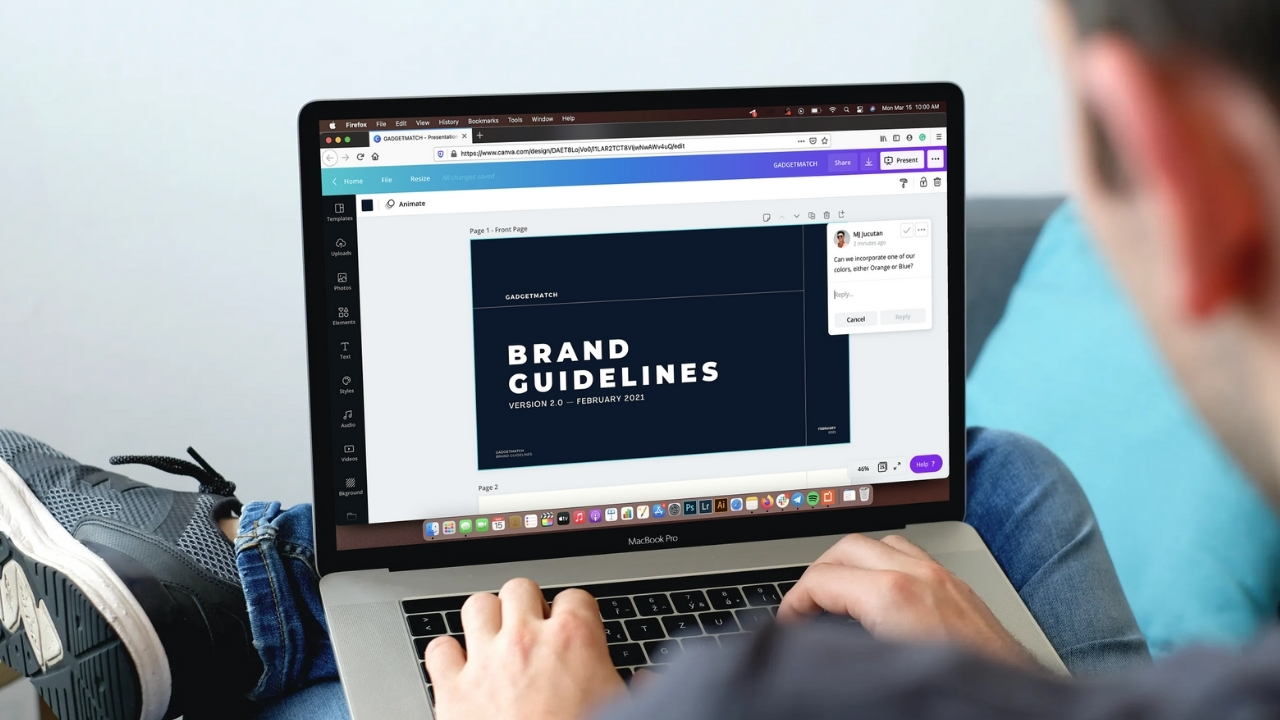
The commenting feature is also solid. You leave notes on specific elements like a photo or text box. Team members reply and mark comments as resolved. You can also share templates with your team so everyone starts from the same master design. For small businesses agencies or classrooms these tools make group projects smooth and organized.
Canva Pro Pricing vs Free
Canva Pro costs about one hundred twenty dollars per year. There is also a monthly plan at around fifteen dollars. The free plan stays free forever. So is Pro worth the price? That depends on how often you design. If you make one graphic per week the free version might be fine. But if you design daily for work or business then Pro saves you hours every week.
Think about your hourly rate. If Magic Resize saves you two hours per month that is already worth fifteen dollars for most professionals. The background remover alone would cost extra on other sites. And accessing millions of stock assets without per image fees adds up fast. For students and teachers Canva offers a free Pro plan with verification. For non profits there is a discount too. So many people can get Pro at lower cost or free.
Frequently Asked Questions
Is Canva Pro a one time payment?
No Canva Pro is a subscription. You pay monthly or yearly. The yearly plan gives you a big discount. There is no lifetime option right now.
Can I use Canva Pro for client work?
Yes you can. Your clients do not need a Pro account. You can share designs for them to view or edit. But if they need the same premium assets they will need their own Pro plan.
Does Canva Pro remove watermarks from all images?
Yes any image or element from Canva’s Pro library will be watermark free. Your own uploads never had watermarks. And the background remover does not add any watermark either.
What happens if I cancel Canva Pro?
You keep all your designs. But you lose access to premium content. Any design using Pro elements will show watermarks again. You cannot create new designs with locked features. Your brand kits and folders stay but become read only.
Can I use Canva Pro on mobile?
Yes the Canva mobile app supports all Pro features. Background remover magic resize and stock assets work on your phone too. The experience is slightly slower but still very usable.
Is Canva Pro good for printing?
Yes Pro gives you better export options. You can download designs as PDF print with crop marks and bleed. The resolution goes up to 300 DPI for professional printing. Free version limits some export qualities.
Final Thought
After a month of heavy use I can say Canva Pro is worth the money for regular designers. The background remover magic resize and stock library are the stars. The brand kit and team tools add real value for businesses. The free version is generous but the paid version removes friction and saves time.
If you only design a few times per month stick with free. Upgrade when you feel frustrated by watermarks or manual resizing. Canva Pro is not a magic solution for bad design. But it gives you the tools to work faster and look more professional. Try the thirty day free trial first. Then decide if your time is worth the small monthly fee. For me the answer is yes.
